 Saykudan LTD
IPTV Core is a fast, modern IPTV player for iPhone and iPad. Load your M3U, M3U8 or Xtream Codes playlist and watch live TV, series and movies with a full TV guide — beautifully organised and ad-free.
IPTV Core turns your IPTV subscription into a proper streaming experience. Add your own M3U playlist URL or Xtream Codes login and get live TV channels, on-demand series and movies, a complete EPG (electronic programme guide), IMDb ratings, Picture-in-Picture, offline downloads and full playback controls — all in a clean, fast IPTV app designed for Apple devices.
Screenshots
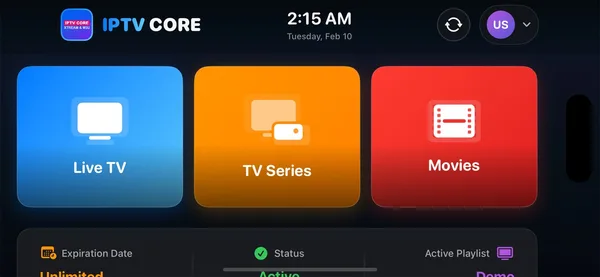
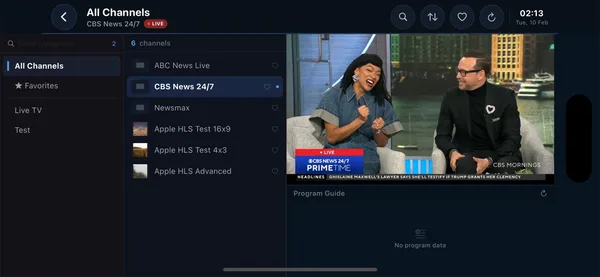
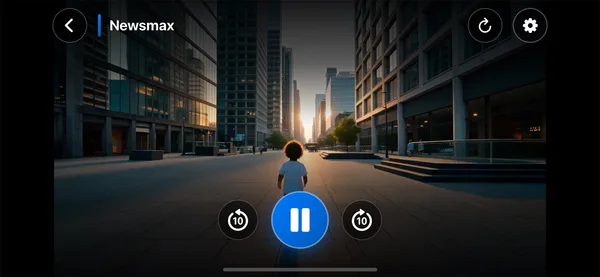
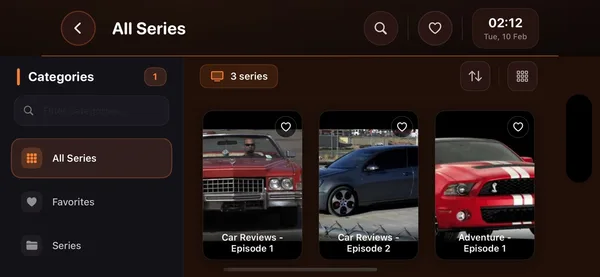




A complete IPTV experience — not just a basic player
Most IPTV players simply open a stream. IPTV Core is built to be the best IPTV player for iPhone and iPad, with the features you actually use every day:
How to install and get started
- Download IPTV Core free from the App Store.
- Open the app and tap Add Playlist.
- Choose Xtream Codes (server URL, username, password) or M3U URL (paste your link).
- Give it a name and tap Save.
- Your channels, series, movies and EPG load automatically — open Live TV and start watching.
Frequently asked questions
Is IPTV Core an IPTV player or an IPTV service?
IPTV Core is a player, not a service. It includes no channels or subscriptions. You add your own M3U playlist or Xtream Codes login from an IPTV provider, and IPTV Core gives you the best way to watch it on iPhone and iPad.
Does IPTV Core support M3U, M3U8 and Xtream Codes?
Yes. You can load a plain M3U or M3U8 playlist URL, or log in with Xtream Codes (server URL, username and password). Xtream Codes automatically sorts your content into Live TV, Series and Movies.
Is IPTV Core a good IPTV Smarters alternative?
Many users switch to IPTV Core when IPTV Smarters gives “failed to authorize” errors or feels dated. It uses the same M3U or Xtream Codes login, adds a cleaner interface, a full EPG, IMDb-rich Series and Movies, Picture-in-Picture and offline downloads. See our IPTV Smarters vs IPTV Core comparison.
Does it have a TV guide (EPG)?
Yes. IPTV Core loads the full electronic programme guide (EPG) from your playlist where your provider supplies one, showing what’s on now and what’s coming up with live progress bars.
Can I watch series and movies, not just live channels?
Yes. IPTV Core organises your content into Live TV, Series and Movies, each with posters, genres, descriptions and IMDb ratings, plus Top Picks and “More Like This” recommendations.
Does IPTV Core support Picture-in-Picture and offline downloads?
Yes. You can keep watching in a floating Picture-in-Picture window while using other apps, and download content to watch offline on flights or with a weak connection.
Can I control subtitles, audio tracks and playback speed?
Yes. The player includes subtitle and audio-track selection, aspect-ratio fit/fill, playback speed, brightness, volume and rotate controls.
Is there parental control?
Yes. In Manage Categories you can hide, reorder and lock categories, which lets you keep the app family-friendly.
Does IPTV Core work on iPad?
Yes. IPTV Core is built for both iPhone and iPad, so you can watch your IPTV playlist on the larger iPad screen or on the go.
Is IPTV Core free?
Yes, IPTV Core is a free download on the App Store. You only supply your own IPTV playlist or Xtream Codes login.
Download IPTV Core
IPTV Core is a free M3U and Xtream Codes IPTV player for iPhone and iPad. Bring your own playlist and enjoy live TV, series and movies with a full EPG, IMDb ratings, Picture-in-Picture and offline downloads.
Built and maintained by Saykudan LTD, a London-based software studio. See all of our apps.